How to Use Android Auto™ Wireless and Apple CarPlay®
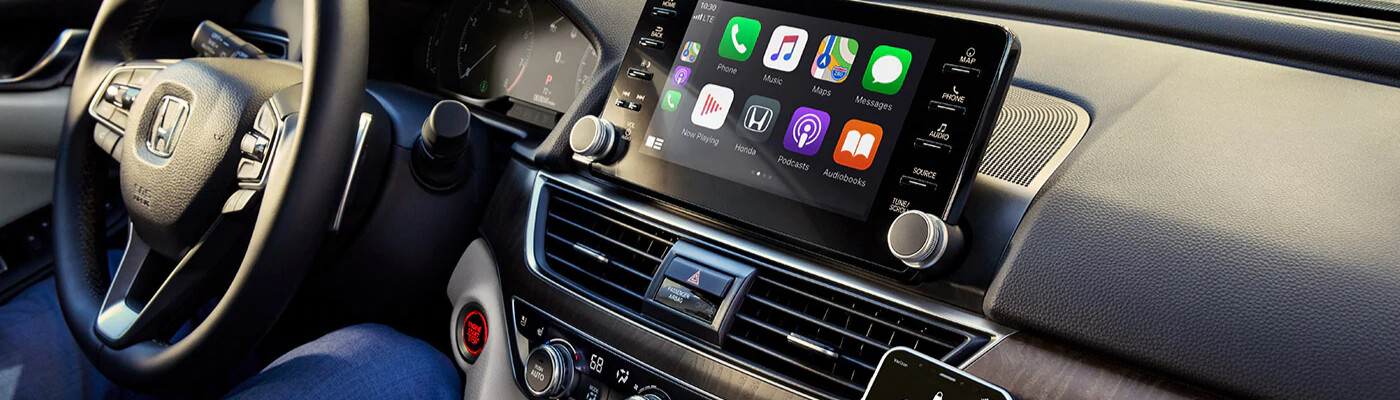
With how much time we spend on the roads around Tyler, it’s important to stay connected to your favorite podcast or navigation apps. An integrated smartphone in your Honda let’s you have all your favorite apps at the tips of your fingers. Our team in the Tower Honda of Longview service center has the answers to: “How to set up Apple CarPlay® in a Honda” and “How to use Android Auto™ without a USB.” Find the right connectivity options for your smartphone below, and stay connected on your trips around Longview.
How to Set Up Apple CarPlay® in a Honda
Connecting to Apple CarPlay® is pretty straightforward, so can easily get back to your Marshall adventures. Start by ensuring your vehicle is compatible with your Honda; it’s likely that iPhone 5 and higher can be paired with your vehicle. Then, follow these steps for how to set up Apple CarPlay® in your Honda:
- Connect your phone with a cable into the CarPlay USB Port on it.
- Then, use your phone to navigate to the “Settings” menu, and select “General” and “CarPlay”. Your vehicle will appear in the “Available Cars” list.
- Press and hold the Voice Control button on your steering wheel or hold the CarPlay Home button on your touchscreen.
- Once Siri pops up, you’re ready to head out on the road with your favorite apps and playlists.
Some new iPhone and Honda models are able to connect wirelessly to Apple CarPlay®. Connecting your phone is similar. Instead of plugging in a USB cable, ensure your Bluetooth™ is enabled. Then, go to the “General” and “CarPlay” setting on your phone mentioned above, and follow the remaining steps.
How to Use Android Auto™ Without USB
While you may be wondering how to use Android Auto™ without a USB, it’s important to note that a USB is needed to make the initial connection. However, once set up, you can wirelessly use your Android phone. To connect your phone, start by checking if your smartphone or vehicle are compatible with Android Auto™. Then, follow these steps for how to use Android Auto wireless:
- Start by ensuring your phone’s bluetooth is enabled, and your vehicles’ Android Auto™ system is active.
- Download the Android Auto™ app from Google Play, or plug your phone into the car’s USB port to follow the download prompts.
- Your phone will begin to display on-screen prompts to set up the Android Auto™ app.
- Then, you’re ready to begin exploring with your integrated smartphone. Android Auto™ Wireless will automatically connect once you start your car.
Stay Connected in Honda Models from Tower Honda of Longview!
Now that you know how to use Android Auto™ wireless or Apple CarPlay,® you’re ready to seamlessly take on the challenges of the roads around Gladewater. Contact us at Tower Honda of Longview to learn more about the capabilities of new Honda models When you’re ready to take one home, the knowledgeable team in our finance center are ready to help with all your car buying questions.
More from Tower Honda of Longview
Your vehicle’s brake system is one of its most important safety features. Whether you’re commuting to work, taking a road trip, or running errands around town, reliable brakes help keep you, your passengers, and everyone else on the road safe. While brake components are built to last, they do wear down over time. Recognizing the…
Read More
Buying a new vehicle in the next few years could come with an additional tax benefit. Under a provision of the One Big Beautiful Bill Act, eligible taxpayers may be able to deduct up to $10,000 in qualifying vehicle loan interest each year for tax years 2025 through 2028. Unlike many tax deductions that require…
Read More
September is National Preparedness Month, making it the perfect time to think beyond routine vehicle maintenance and prepare for the unexpected. Whether you’re commuting to work, taking the kids to school, or heading out on a road trip, having a well-stocked emergency kit in your vehicle can make a big difference if you encounter a…
Read More